Marketplace · WooCommerce
AI WooCommerce product photography for your own store
On a self-hosted WooCommerce store you control the whole look, which means inconsistent product photos are entirely on you to fix. SocialShot generates a uniform set of studio and lifestyle images so every product and category page looks deliberate and on-brand.
You download web-optimized files and upload them to your WooCommerce product media the same way you would any image, no native plugin or sync, just export and add.
Quick answer
SocialShot generates a consistent set of product and lifestyle images for your WooCommerce store from a single upload, then exports web-optimized files you upload straight into your product media, no photographer or plugin required.

Why sellers use SocialShot for woocommerce product photography
Brand-consistent catalog
Lock one lighting, background, and styling recipe across your whole WooCommerce catalog.
Full product-page set
Generate hero, alternate, and detail shots to fill out every product gallery.
Lifestyle for your theme
Add scene-based imagery that matches your store's mood for the shop and category pages.
Simple export-and-upload
Download web-optimized files and add them to product media like any other image.
Real photos win the click.
woocommerce product photography shouldn't take a studio or two weeks.
Real output, not stock
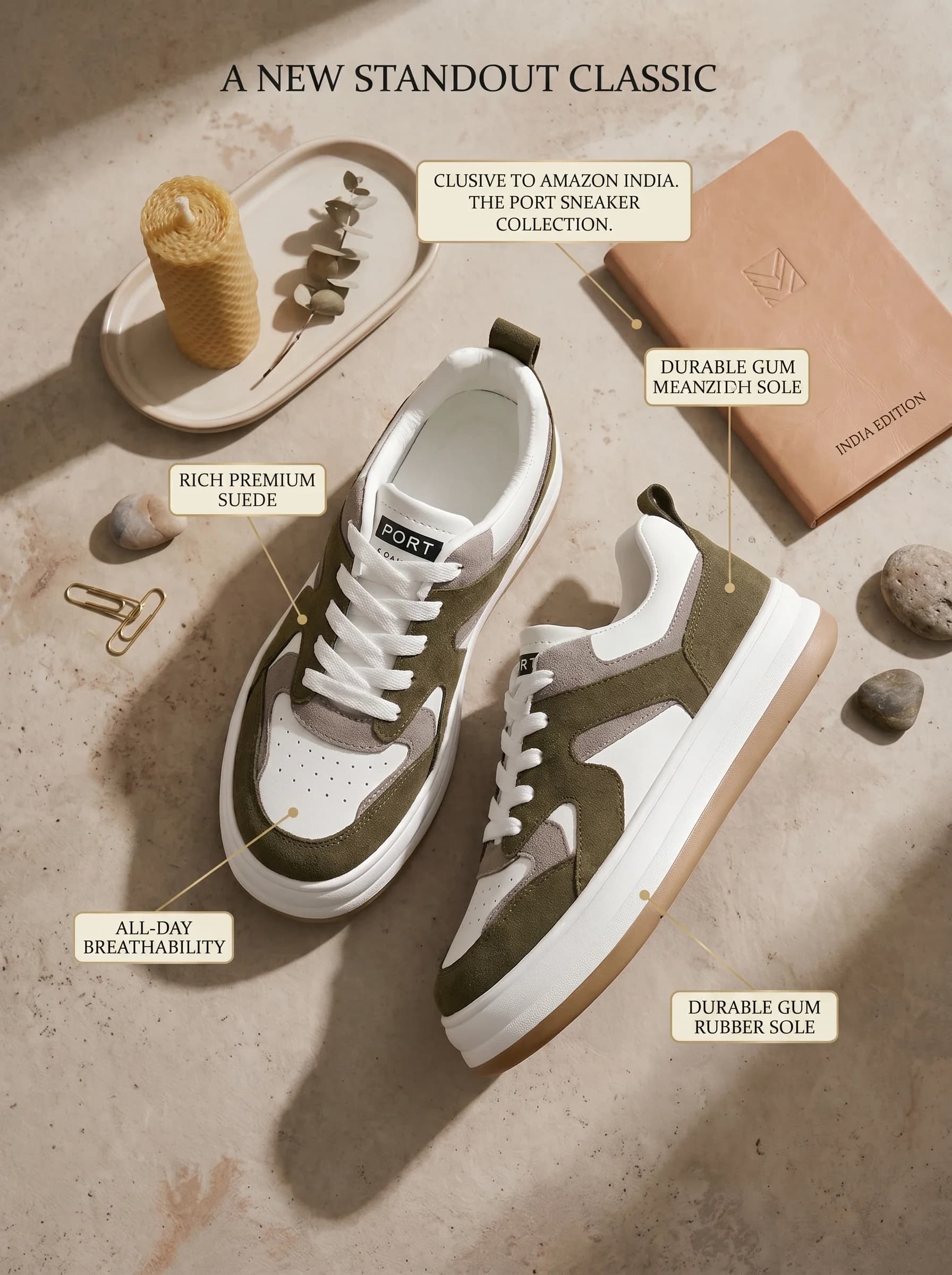
Every image below was generated from a single flat-lay or product photo.




How it works
Upload your product photos.
Set your brand backdrop and lifestyle scenes once.
Generate the set, export web-optimized files, and upload to WooCommerce.
Trusted by online sellers
Real numbers from stores shipping with SocialShot.
50K+
Visuals generated
30s
Turnaround vs days for a traditional shoot
$2.99
Starter plan / month (Snap, 25 credits)
4.9/5
Avg. customer rating
“We used to wait two weeks for a shoot. Now I upload a flat-lay and have listing photos the same morning.”
Frequently asked questions
Does SocialShot integrate directly with WooCommerce?
There is no native plugin or automatic sync. You export web-optimized image files and upload them to your WooCommerce product media the same way you add any image.
Can I keep a consistent brand look across products?
Yes. Reuse one styling recipe so every product and category page looks cohesive.
Does it produce lifestyle images too?
Yes. Generate scene-based lifestyle shots alongside clean studio product photos for your theme.
Is the output ready for WooCommerce?
Yes. Images export at web-optimized and high resolutions ready to upload directly to your product media.
Related
Ready to try it on your products?
Upload one photo and see woocommerce product photography results in minutes.
Make WooCommerce photos