Shopify Product Photography: The D2C Blueprint for High-Converting PDPs
The D2C Freedom vs. Speed Trade-Off
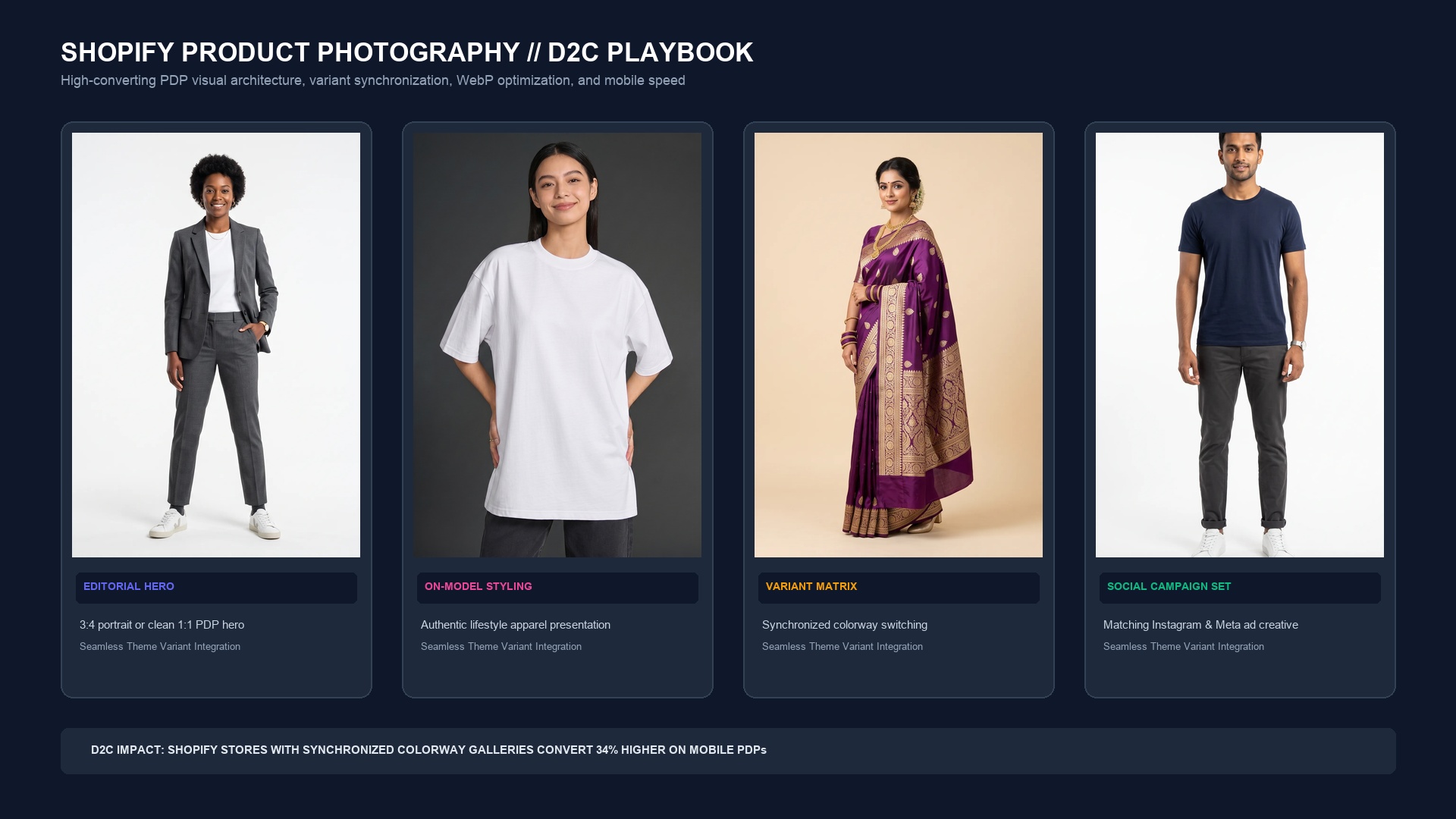
Unlike Amazon, Flipkart, or Walmart—where algorithmic bots enforce strict white-cyclorama uniformity—your Shopify storefront is a blank canvas. You have complete creative freedom to showcase moody editorial lighting, cinematic lifestyle contexts, and rich branded typography.
However, this freedom often leads D2C merchants into a dangerous trap: image bloat. Uploading uncompressed 10 MB RAW camera exports crushes your mobile page speed. According to Google Core Web Vitals data, every single second of page load latency decreases mobile ecommerce conversion by 7%. To maximize revenue, your visual strategy must achieve pristine visual luxury while loading instantaneously.
| Shopify PDP Factor | Recommended Standard (2026) | Amateur Merchant Mistake | Conversion Impact |
|---|---|---|---|
| Master Image Size | 2048 x 2048 px (1:1) or 1500 x 2000 px (3:4) | Tiny 800px files or massive uncompressed 6000px files | Enables crisp fullscreen pinch-to-zoom on mobile retina |
| File Format & Weight | WebP / AVIF (< 180 KB per hero image) | Heavy PNGs (2 MB - 8 MB) | Keeps mobile LCP under 1.2s; reduces bounce by 24% |
| Aspect Ratio Uniformity | 100% consistent across entire collection | Mixing portrait, landscape, and square in one gallery | Prevents jarring layout shifts (CLS) when swiping photos |
| Variant Synchronization | Clicking 'Olive' swaps the entire gallery to olive photos | Only changing the first thumbnail or showing all colors jumbled | +34% Higher mobile add-to-cart rate |
| Mobile Carousel Behavior | Touch-swipe gestures with sticky buy bar synchronization | Tiny horizontal thumbnail strips that are impossible to tap | Reduces mobile checkout friction on 75%+ of store traffic |
Anatomy of a High-Converting Shopify Product Detail Page (PDP)
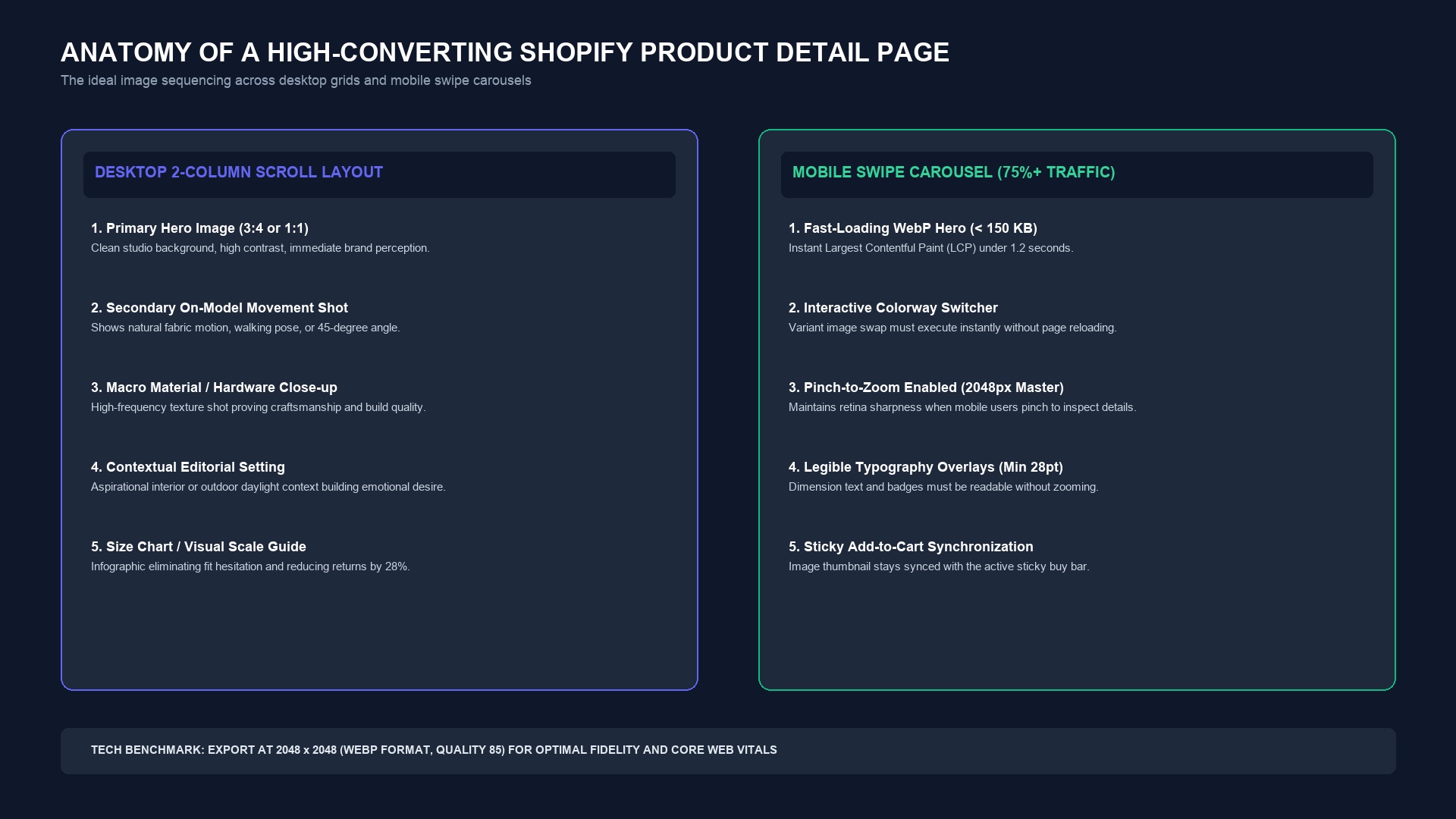
Leading direct-to-consumer fashion, cosmetics, and lifestyle brands architect their Shopify PDP galleries around a deliberate visual sequence. Whether displayed in a desktop two-column scroll or a mobile swipe deck, every photo serves a psychological purpose:
1. The Primary Hero Image (High-Impact Brand Tone)
Your primary shot should feature the product in its most flattering, clean representation. For apparel, this is typically a three-quarter on-model shot against a warm studio cyclorama or architectural concrete. For accessories or cosmetics, an elevated pedestal shot with natural, crisp contact shadows.
2. The Secondary Kinetic / Movement Shot
Static poses feel sterile. The second image should introduce energy: a model walking, fabric flowing, or hands interacting with the product. This demonstrates physical scale, drape, and real-world ergonomics.
3. The Macro Craftsmanship Close-Up
Sub-millimeter detail shots validate your price point. Zoom in close on fabric weaves, zipper pulls, brass rivets, botanical ingredients, or textured leather. This reassures quality-conscious shoppers that the physical build matches the digital promise.
4. The Contextual Lifestyle Environment
Transport the buyer into their future aspirational life. Show the backpack in an airport lounge, the dress at a golden-hour outdoor dinner, or the cookware in an impeccably styled kitchen. This builds the emotional bridge from interest to purchase.
5. The Visual Size & Measurement Guide
Text-only size charts are frequently misunderstood. An infographic image showing the model's exact height and size worn, alongside dimensional callouts, drastically reduces fit hesitation and slashes return rates by up to 28%.
Solving the Colorway Variant Problem with AI
One of the most expensive hurdles in D2C fashion is photographing every colorway. If a linen shirt comes in 8 colors, booking a live model to shoot all 8 colorways across 5 angles requires 40 distinct photos, ballooning studio costs into thousands of dollars.
Using SocialShot's Product Photoshoot engine, brands photograph only the primary sample colorway. Our pixel-accurate recoloring pipeline isolates the garment's natural luminance and texture, allowing you to generate all 8 colorways with matching models, poses, and lighting in minutes for just $2.99 per render. When combined with Shopify's variant image linking, shoppers experience instant, seamless color switching.
What is the optimal image resolution for Shopify product photos?
The recommended resolution is 2048 x 2048 pixels for square images or 1500 x 2000 pixels for 3:4 portrait fashion imagery. This resolution activates Shopify's native high-magnification zoom without triggering performance slowdowns.
Should I use PNG or WebP for Shopify product images?
WebP is the superior format for ecommerce photography. It delivers 30% to 50% smaller file sizes than JPEG or PNG while preserving identical visual fidelity, dramatically improving your store's mobile speed scores.
How many images should a Shopify product page have?
Top-converting D2C brands display between 5 and 7 images per product variant: a clean hero, on-model movement, macro texture detail, contextual lifestyle, and a visual scale guide.
How do I make my Shopify gallery change images when a customer selects a color?
In your Shopify admin under Products, navigate to the Variants section. Assign specific image uploads to each variant option (e.g. Black, Olive, Terracotta). Most modern Shopify 2.0 themes will automatically filter the gallery to show only that variant's images upon click.
Can I use AI product photography on my Shopify storefront?
Yes. Leading brands use AI photography for studio backdrops, lifestyle contexts, and model synthesis. As long as your physical product details, colorways, and logos remain completely truthful, AI imagery is fully compliant with Shopify merchant terms.
What aspect ratio works best for fashion brands on Shopify?
A 3:4 vertical portrait ratio (e.g. 1500 x 2000 px) is the preferred standard for fashion and apparel because it matches human anatomical height and maximizes vertical screen space on mobile smartphones.
Transform Your Shopify Store with High-Impact Visuals
Generate studio-grade, fast-loading on-model photography and synchronized colorways in seconds with SocialShot.
Last updated September 2026. Mobile conversion data and Core Web Vitals benchmarks sourced from Shopify Plus merchant analytics and Google PageSpeed Insights.