Shadow and Reflection for Product Images: The Science of Grounding Realistic Packshots
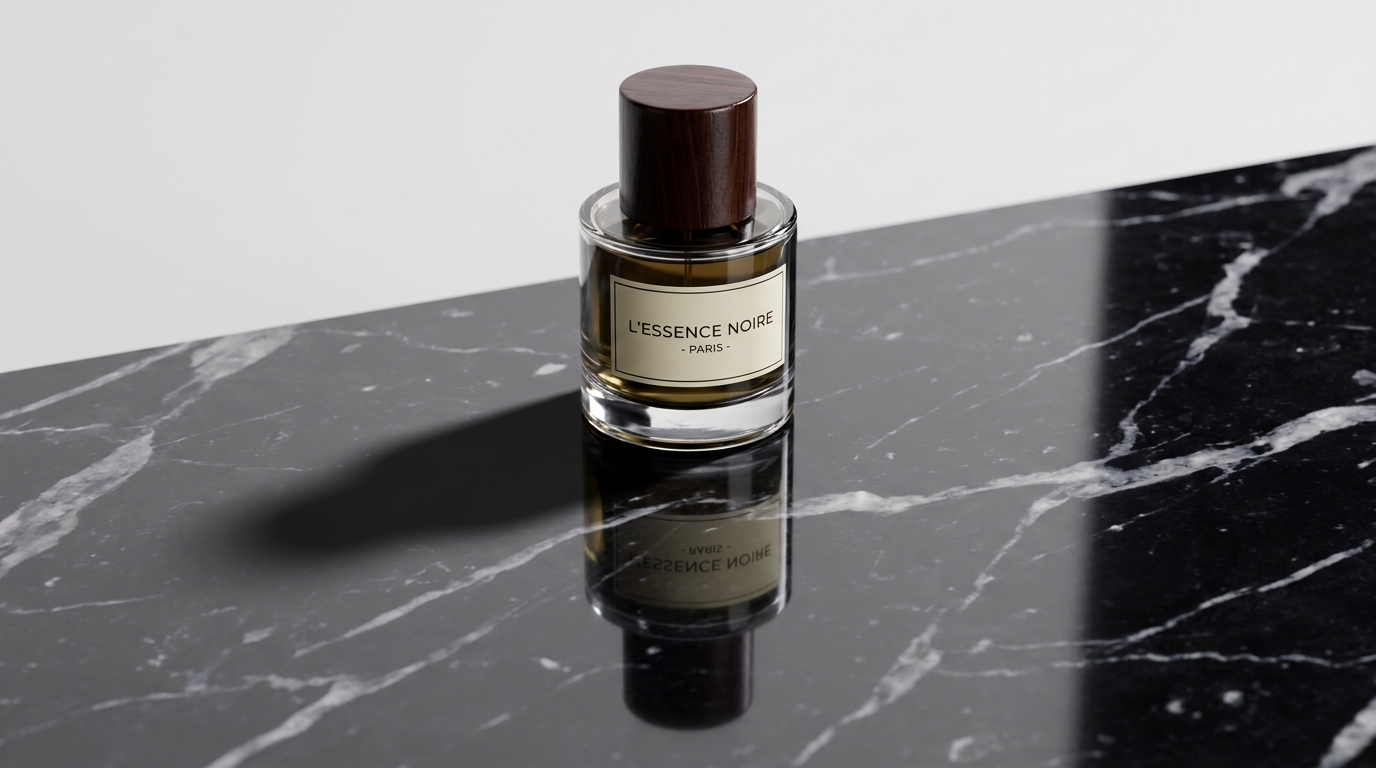
The Psychology of Floating Products: Why the Brain Rejects Flat Cutouts
Human visual perception is hardwired to calculate depth, mass, and physical presence through shadow cues. From infancy, the human brain relies on shadows to answer three subconscious questions about any object: How heavy is it? Where is it resting? And where is the light coming from?
When an online store displays a sneaker, skincare jar, or handbag with zero shadow—or worse, a blurry Photoshop drop shadow offset by 5 pixels at 45 degrees—the brain immediately flags the image as artificial. This subconscious skepticism bleeds directly into purchase intent: If the photo is fake, is the product itself a counterfeit or cheap knockoff?
Grounding a product with physically accurate shadows is not an artistic embellishment; it is an essential commercial trust mechanism.
The 4 Pillars of Realistic Product Grounding
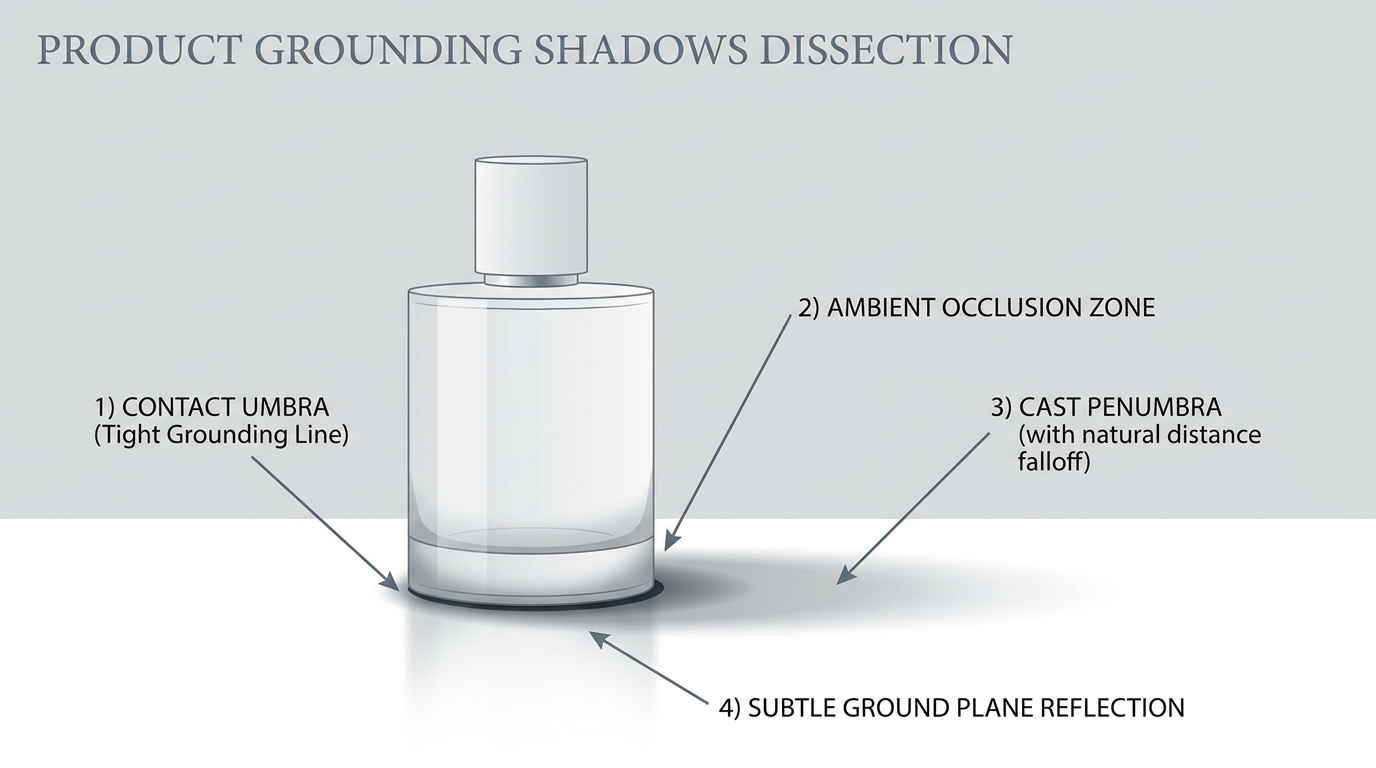
Professional commercial retouchers and modern AI engines construct realistic staging using four distinct optical layers:
- The Contact Shadow (Umbra): The darkest, sharpest line directly underneath where the product touches the ground plane. Because almost no ambient light can penetrate this micro-crevice, the umbra is near-black and grounds the object firmly.
- Ambient Occlusion (AO): The soft, diffuse darkening around the base of the product caused by surrounding environmental light being blocked. AO adds weight and three-dimensionality without harsh edges.
- The Directional Cast Shadow (Penumbra): The longer shadow projected away from the primary key light. As the shadow travels further from the product, it naturally softens and fades in intensity (penumbra falloff).
- Specular Surface Reflection: On reflective surfaces like polished marble, glass, wet slate, or high-gloss acrylic, the surface reflects an inverted image of the product. The reflection's clarity depends on the surface roughness and the viewing angle (Fresnel effect).
Comparative Analysis of Shadow Rendering Techniques
Examine how different shadow generation methods stack up against commercial realism and operational speed:
| Shadow Technique | Visual Realism | Production Time | Marketplace Compliance | Conversion Impact |
|---|---|---|---|---|
| Pure Cutout (No Shadow) | Extremely artificial ('floating' look) | Instant | Accepted on Amazon, but uninspired | -17% CTR; lower perceived brand value |
| Basic Photoshop Drop Shadow | Amateur (Uniform blur, no perspective) | 2 minutes manual | Often flagged for artificial gradients | Distracting; signals budget storefront |
| Retained Studio Natural Shadow | 100% natural, but rigid | 15 minutes tedious masking | 100% compliant with white guidelines | High, but cannot adapt to new scenes |
| SocialShot AI Ray-Traced Shadow | Photorealistic (Calculates depth & light vector) | Under 3 seconds automated | 100% compliant across Amazon & Shopify | +21% conversion lift over flat cutouts |
3 Golden Rules for Consistent Commercial Shadows
When staging products into new backgrounds or creating clean white packshots, obey these three rules to maintain optical consistency:
- Align Shadow Vector with Key Highlights: If your product has a bright specular reflection on its top-right edge, the cast shadow must fall toward the bottom-left. A shadow falling in the direction of the light source breaks reality immediately.
- Match Surface Roughness to Reflection Blur: Highly polished surfaces like glass or black acrylic produce sharp, crisp reflections. Rough surfaces like matte concrete, unfinished wood, or linen absorb light, requiring soft, diffused reflections with fast vertical falloff.
- Avoid Multiple Conflicting Shadows: In physical studios with multiple strobe lights, products often cast 2 or 3 faint shadows in different directions. In software, clean up extraneous shadows and retain only one dominant cast shadow to keep the visual hierarchy clear.
What is the difference between a drop shadow and a cast shadow?
A drop shadow is a uniform, flat copy of the silhouette blurred and placed underneath an object, often looking fake. A cast shadow is projected in perspective along the ground plane away from a light source, naturally growing softer and lighter as it extends.
Does Amazon allow shadows on white background product photos?
Yes. Amazon explicitly permits subtle, realistic contact shadows beneath the product to convey depth. However, heavy, dramatic, or colored cast shadows that obscure details or extend beyond the frame are not permitted.
How does AI create realistic reflections on different surfaces?
AI analyzes the texture and roughness of the target surface (e.g., travertine, marble, wet asphalt, or wood) and applies physically based rendering (PBR) algorithms to calculate Fresnel reflection falloff and roughness blurring.
Can I add reflections to products that were shot on a matte background?
Yes. By isolating the product and calculating its 3D perspective geometry, modern AI can project an inverted reflection beneath the item and blend it realistically into reflective floor surfaces.
Why do my products look like they are floating even with a drop shadow?
Most floating products lack an 'umbra'—the tight, dark contact shadow directly where the product's base touches the floor. Without this high-contrast contact point, the brain perceives the object as hovering above the ground.
How can I ensure shadow consistency across 500 different products?
Using SocialShot's batch shadow engine, you can define global lighting parameters (such as light angle, elevation, softness, and opacity) and apply them uniformly across your entire SKU catalog in a single click.
Ground Your Products with Photorealistic Shadows
Eliminate floating product cutouts forever. Generate physically accurate contact shadows, cast penumbras, and luxury reflections in seconds with SocialShot.