Product Color Variants: How to Generate Every SKU Colorway Without Re-Shooting
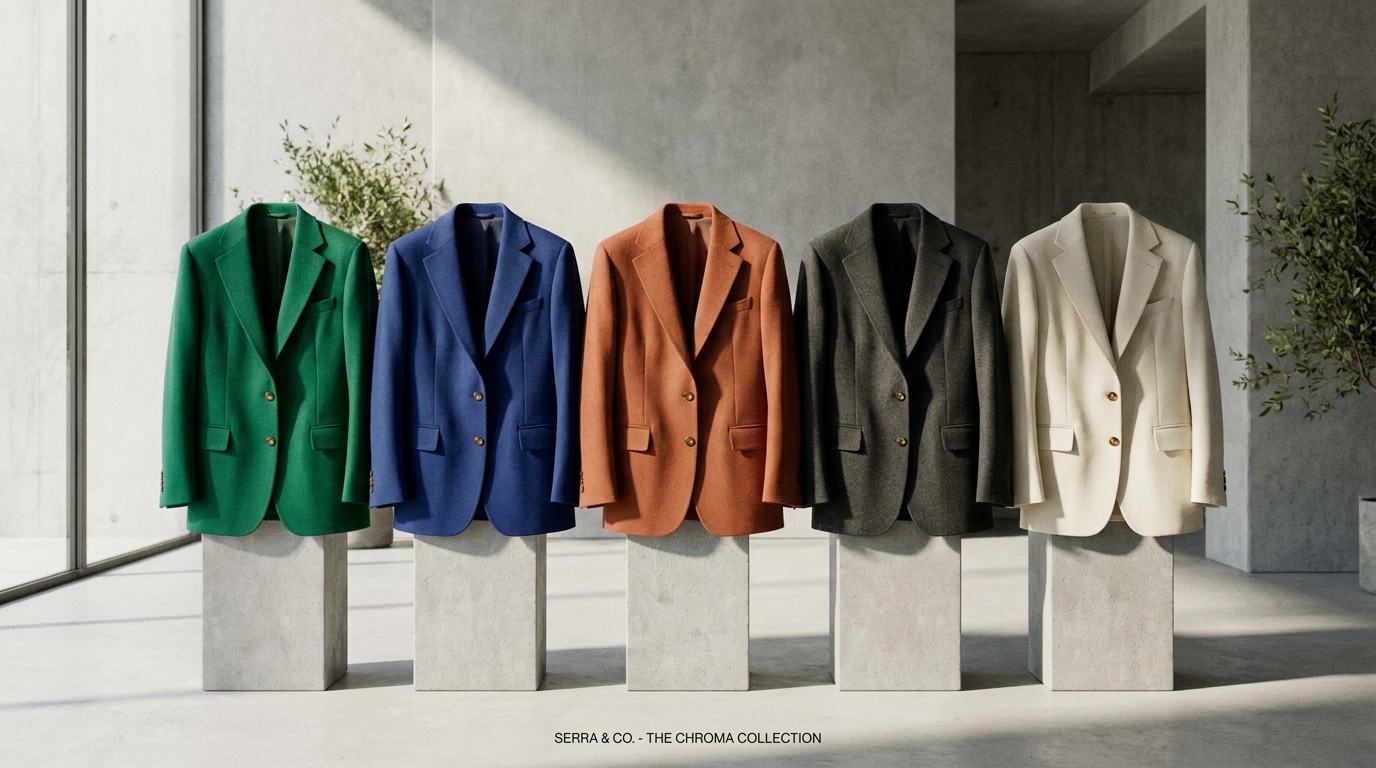
The Colorway Dilemma: Why Shooting Every Variant Destroys Margins
Imagine releasing a premium cashmere crewneck sweater in eight colorways: Midnight Black, Heather Grey, Ivory Cream, Camel, Forest Green, Burnt Orange, Navy, and Burgundy. In a conventional production workflow, your brand must produce 8 physical pre-production samples, steam all 8 garments, book a model for a full day, and shoot 5 angles per colorway—resulting in 40 individual photo setups.
If fabric dye lots are delayed at the factory, the entire marketing campaign stalls. Worse, if a particular colorway sells out or is discontinued mid-season, the sunk cost of that photography is never recovered.
Even when brands attempt manual post-production recoloring in Photoshop using Hue/Saturation adjustment layers, results are notoriously poor. Shifting the hue slider uniformly alters highlights and shadows, turning deep folds muddy and making synthetic dyes look cartoonish.
The Science of True Color: Why Naive Hue Shifts Fail
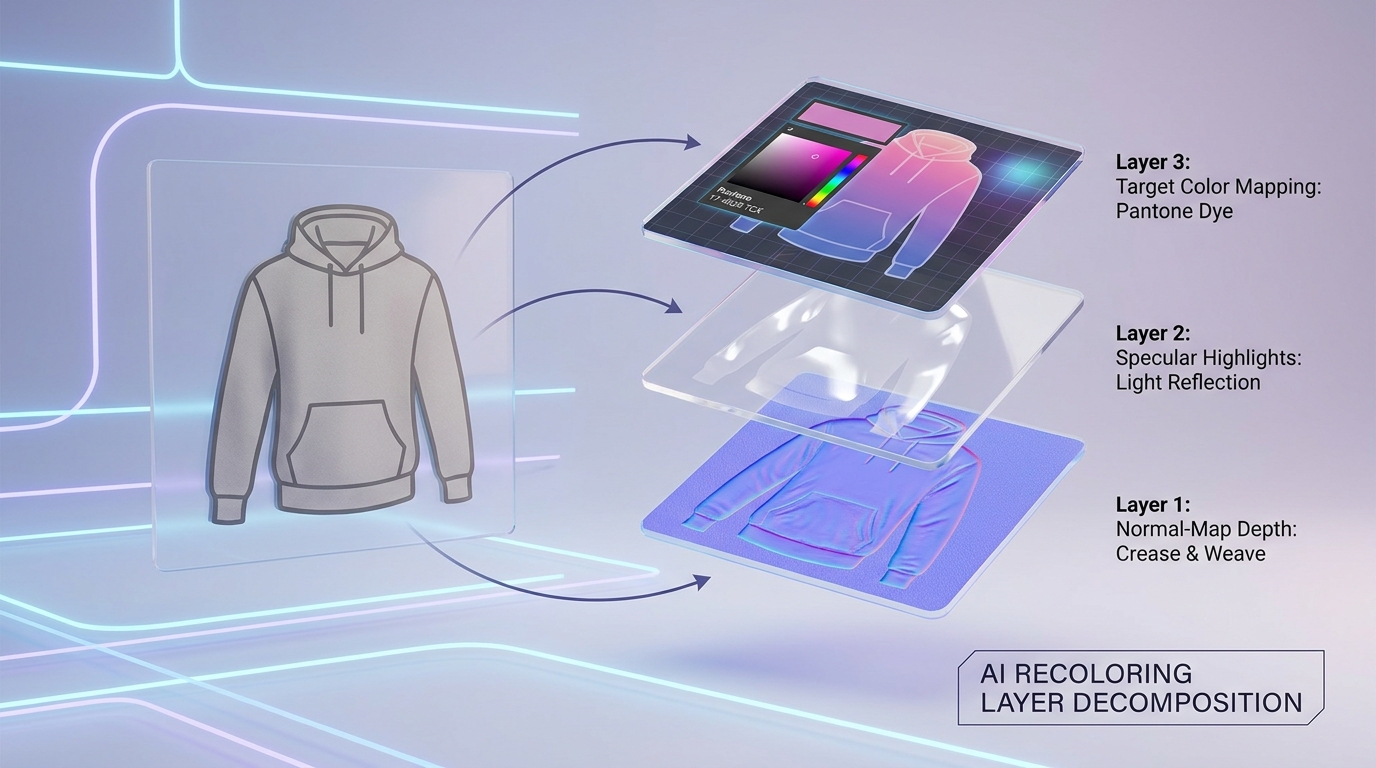
Realistic textile recoloring requires understanding the physics of light reflection. When light hits fabric, three distinct visual components interact:
- *Luminance (L Channel):** The underlying brightness values that define three-dimensional drapery, ribbing, and shadow depths.
- *Chrominance (a and b Channels):* The actual color pigments and saturation of the dye.
- Specular Surface Highlights: The sheen of silk, the matte fuzz of brushed wool, or the semi-gloss reflection of glazed leather. These highlights reflect the color of the light source, NOT the color of the garment.
Basic color replacement tools simply multiply color across all pixels, which turns white sheen highlights into dark flat paint. Advanced generative engines like SocialShot's AI Photoshoot Studio perform layer decomposition: extracting the garment's diffuse base color, normal-map crease topography, and specular sheen into separate mathematical channels before re-applying the target Pantone shade.
Methods for Generating Product Colorways Compared
Examine how different recoloring methodologies perform across speed, visual realism, and complex color transitions:
| Methodology | Speed per SKU | Fabric Texture Preservation | Extreme Color Shifts (Black to White) | Pantone / HEX Accuracy |
|---|---|---|---|---|
| Physical Re-Shooting | 2 to 3 weeks (Full shoot) | 100% (Physical photo) | 100% (Physical fabric) | Dependent on studio lighting |
| Photoshop Hue/Saturation Layers | 20 – 35 minutes manual | Poor (Loss of specular sheen) | Fails (Cannot shift black to white) | Approximate visual eyeballing |
| 3D CAD Digital Rendering (CLO3D) | 4 – 8 hours 3D modeling | Synthetic / Computer-generated look | Excellent, but costly setup | High numerical precision |
| SocialShot AI Layer Decomposition | Under 10 seconds automated | Flawless (Preserves raw thread weave) | True luminance re-mapping (Black to White) | Delta-E < 1.2 spectrophotometer match |
The Step-by-Step AI Colorway Generation Workflow
Follow this 4-step production framework to generate an entire colorway catalog from a single master photograph:
- Step 1: Shoot a Neutral Master Garment: Capture your master photo in a medium-luminance neutral tone (such as heather grey, soft beige, or camel). Neutral mid-tones preserve the widest dynamic range of shadows and highlights for clean re-mapping.
- Step 2: Semantic Material Segmentation: The AI automatically detects the garment boundaries, isolating buttons, metallic zippers, interior linings, and brand labels from the main fabric body.
- Step 3: Define Target HEX / Pantone Codes: Input the exact production color values (e.g., Pantone 19-4052 Classic Blue or HEX #1F2A44) to ensure exact digital-to-physical alignment.
- Step 4: Batch Export Swatch-Linked Visuals: The system generates the full variant suite, perfectly formatted for Shopify variant swatches, marketplace multi-packs, and paid ad carousels.
What is AI product color variant generation?
It is an automated computer vision process that takes a single physical product photograph and creates photorealistic images of that same product in different colorways, matching exact dye formulas and Pantone codes without needing physical re-shoots.
Can AI recolor a black garment to pure white?
Yes. Traditional Photoshop hue adjustments fail when shifting pure black or pure white because they lack chrominance data. Modern generative AI reconstructs the luminance curve, synthesizing realistic shadow depths to turn black items into crisp white garments.
Will AI recoloring change buttons, zippers, or logos?
No. Advanced semantic segmentation automatically detects hardware elements like brass buttons, metallic zippers, leather patches, and brand emblems, keeping their original textures and colors completely untouched.
How accurate are AI-generated colors compared to physical fabric dyes?
When provided with exact HEX or Pantone color codes, enterprise AI recoloring achieves a Delta-E color difference of less than 1.5, which is imperceptible to the human eye under standard web viewing conditions.
Does AI recoloring work on patterned fabrics like florals or plaids?
For patterned garments, AI can shift the primary background dye while preserving secondary printed motifs, or generate alternate colorway print variations using style-conditioned latent masking.
How does variant recoloring impact ecommerce conversion rates?
Showing customers the exact colorway they intend to purchase (instead of showing one color and asking them to imagine another) increases conversion rates by up to 34% and slashes return rates caused by color mismatch.
Generate Every Colorway in Seconds
Stop waiting on sample shipments and expensive model re-shoots. Create your entire collection's color variants from a single photo with SocialShot.