Facebook Ad Creative Sizes (2026): Exact Dimensions, Ratios, and Safe Zones
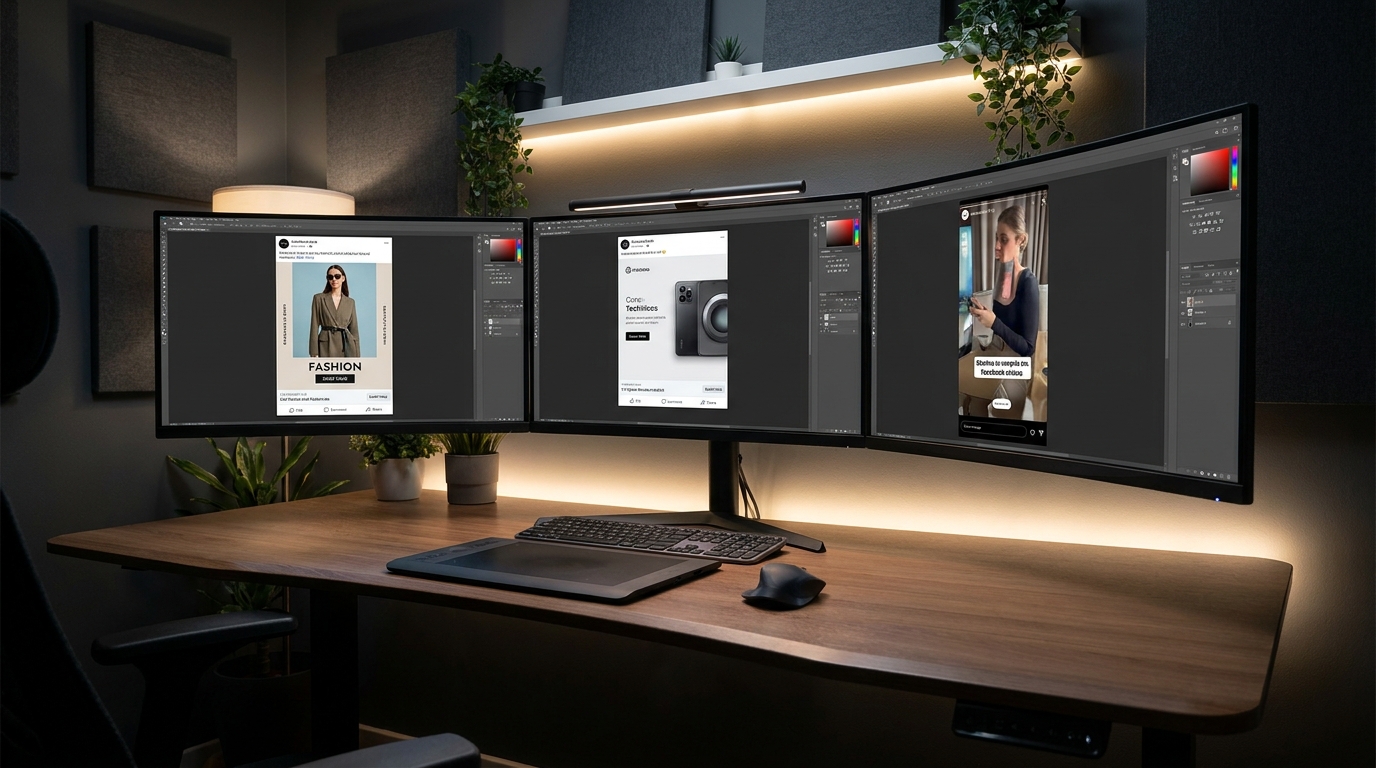
The High Cost of Incorrect Ad Aspect Ratios on Facebook
When an advertiser uploads a single 1:1 square or 16:9 landscape image and selects 'All Placements' inside Meta Ads Manager, Meta's automated sizing engine attempts to adapt the asset dynamically. On mobile Feeds and full-screen Reels, this results in awkward automatic center-crops that cut off heads, amputate logos, or waste up to 40% of available screen space.
According to Meta's developer benchmarks, ads optimized for native vertical screen ratios (4:5 and 9:16) achieve 22% higher brand recall and 18% lower Cost Per Click (CPC) than non-native, letterboxed assets.
Master Technical Cheat Sheet: 2026 Facebook Ad Dimensions
| Placement Surface | Recommended Resolution | Aspect Ratio | Max File Size | Key Safe Zone Requirement |
|---|---|---|---|---|
| Facebook Mobile Feed | 1080 x 1350 px | 4:5 Portrait | 30 MB (JPG/PNG) | Center 1080x1080 safe for desktop fallback |
| Facebook Desktop Feed | 1080 x 1080 px | 1:1 Square | 30 MB (JPG/PNG) | Edge-to-edge high contrast |
| Stories & Reels | 1080 x 1920 px | 9:16 Full Screen | 4 GB (Video) / 30 MB (Pic) | Leave 250px top and 340px bottom buffers |
| Facebook Carousel Ads | 1080 x 1080 px (all cards) | 1:1 Uniform Square | 30 MB per card | All cards must share identical aspect ratio |
| Facebook Marketplace | 1080 x 1080 px | 1:1 Square | 30 MB (JPG/PNG) | Clean product focus on neutral backdrop |
| Right Column & Search | 1200 x 628 px | 1.91:1 Landscape | 30 MB (JPG/PNG) | Bold center text visible at small scales |
Why 4:5 Portrait Dominates the Mobile Facebook Feed
Over 94% of Facebook ad revenue is generated on mobile devices. In the mobile news feed, vertical screen space is your most valuable asset. A 4:5 vertical ad (1080 x 1350 pixels) gives your brand 25% more vertical viewport real estate than a 1:1 square image and more than double a horizontal landscape graphic.
9:16 Stories & Reels Safe Zones: Preventing UI Collisions
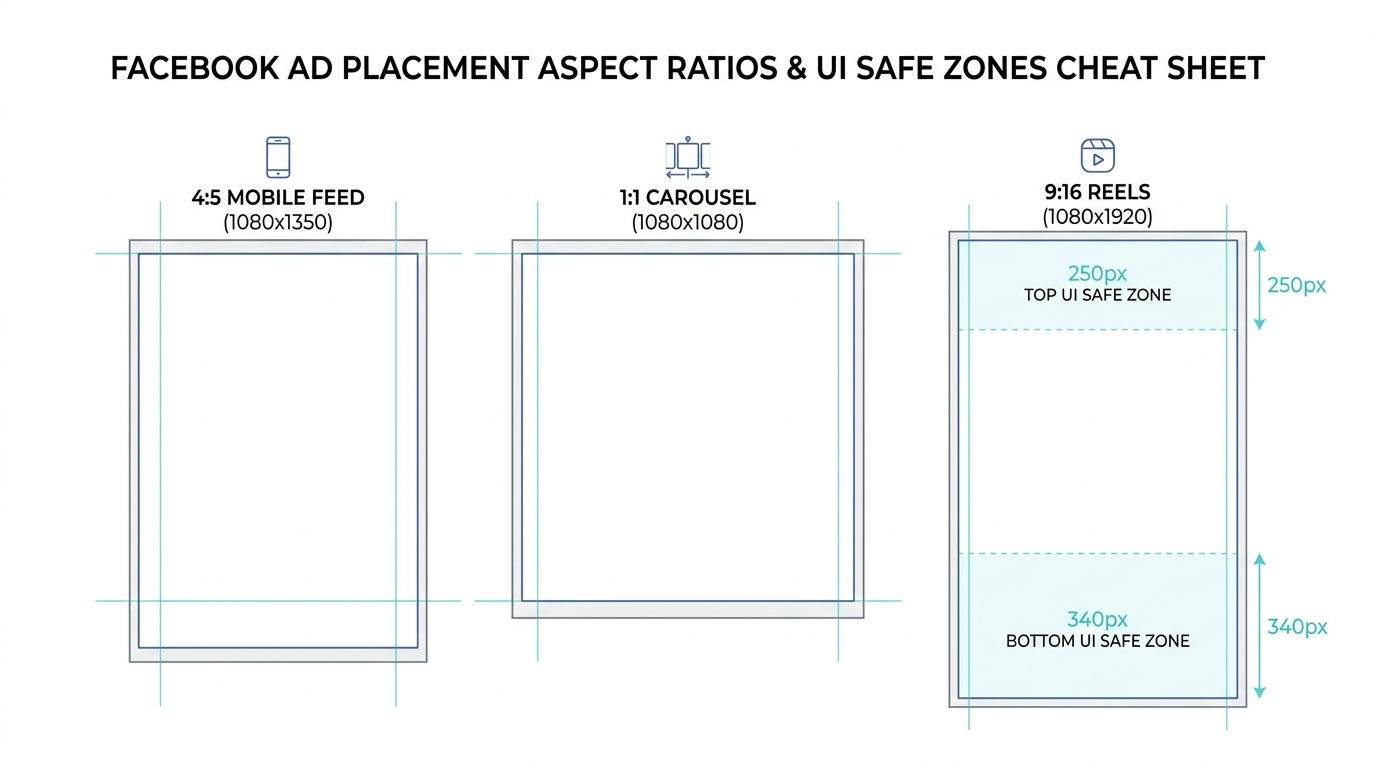
When deploying full-screen vertical creatives across Facebook Stories and Reels, native platform user interfaces overlap the edges of your canvas. To prevent your ad copy, discount codes, or product logos from being obscured, observe these strict clearance rules:
- Top Safe Zone (Buffer 250px): Avoid placing headlines or key visual elements in the top 250 pixels. This space contains the brand avatar, page handle, and the close button.
- Bottom Safe Zone (Buffer 340px): Keep text and CTAs completely clear of the lower 340 pixels. In Stories and Reels, this area contains the multi-line primary text caption, audio track marquee, and the native 'Shop Now' call-to-action bar.
- Right-Side Edge (Buffer 120px): In Reels, the like thumbs-up, comment speech bubble, and share buttons stack along the right edge.
Generating Multi-Ratio Meta Assets Automatically with SocialShot
Manually re-formatting and re-framing 10 ad concepts into 1:1, 4:5, and 9:16 aspect ratios in Photoshop requires hours of tedious manual canvas expansion and clone stamping. If the product was shot close to the frame edge, stretching the canvas creates distorted, blurry backgrounds.
With SocialShot's Social Campaign Studio, media buyers generate coordinated 1:1, 4:5, and 9:16 assets simultaneously. The AI intelligently outpaints surrounding realistic lifestyle backgrounds while preserving 100% of the physical product's geometry, labels, and color profile.
What is the best overall image size for Facebook ads in 2026?
For mobile feed placements, 1080 x 1350 pixels (4:5 portrait ratio) is the top-performing dimension. For multi-placement asset customization within Meta Advantage+, provide both 1080 x 1350 (Feeds) and 1080 x 1920 (Stories/Reels).
Does Facebook still have a 20% text rule for ad images?
No. Facebook eliminated the hard 20% text restriction rule. However, ad sets with clean, uncluttered visuals and minimal concise typography consistently achieve higher delivery efficiency and lower CPMs.
What resolution is required for Facebook carousel ad cards?
Carousel ads require 1080 x 1080 pixels (1:1 square ratio) for every card. All cards within a single carousel must maintain the exact same aspect ratio.
Can I use PNG files instead of JPG for Facebook ads?
Yes. PNG files are supported and ideal for graphics with typography or sharp product edges. However, high-quality JPG (sRGB color profile, quality 85–90%) provides smaller file sizes that load faster on mobile networks.
What happens if I upload a 16:9 landscape image to Facebook Mobile Feed?
On mobile devices, a 16:9 image occupies only about 30% of the vertical screen. This leaves massive empty gaps, makes text hard to read, and allows competing posts to distract the user.
How do I ensure my product colors don't look washed out on Facebook?
Always export your ad visuals using the sRGB color profile. Exporting in Adobe RGB or CMYK causes Meta's web compressors to misinterpret the color gamut, resulting in dull, desaturated product tones.
Automate All Facebook Ad Sizes with One Click
Generate pixel-perfect, multi-ratio Facebook and Instagram ad creatives with built-in safe zones and zero manual resizing using SocialShot.