Electronics AI Photography: Staging Tech Hardware with Sleek Studio Precision
The High-Precision Challenge of Hardware Photography
Consumer electronics hardware combines multiple conflicting material finishes in a single compact housing: matte soft-touch plastics, high-gloss glass touchscreens, knurled aluminum volume dials, and microscopic indicator LEDs. In a physical studio, illuminating the matte plastic body without blowing out the shiny metal knobs or creating glare on the display glass requires complex multi-light diffusion setups.
Furthermore, tech products are magnetic dust attractors. Static electricity built up on plastic enclosures draws microscopic dust fibers that become glaringly visible under macro studio strobes. Retouchers often spend 45 minutes per image stamping out dust specks and wiping fingerprints from black plastic surfaces.
Leading hardware brands use SocialShot's AI Photoshoot Studio to take a single clean product photo and place it into high-converting tech environments—from minimalist dark-mode pedestals to aspirational work-from-home desk setups.
Tech Hardware Visual Production Methods Compared
Evaluate how cleanroom photography studios, 3D CAD rendering, and AI generative hardware imaging stack up across commercial requirements:
| Production Vector | Cleanroom Physical Studio | 3D CAD Rendering (Keyshot / Blender) | SocialShot Generative Tech Engine |
|---|---|---|---|
| Cost per Finished Visual | $120 – $300 per asset | $250 – $600 per 3D CAD scene | $0.30 – $0.85 per asset |
| Turnaround Time | 2 to 3 weeks | 1 to 2 weeks 3D modeling | Under 3 minutes automated |
| Screen UI Content Swapping | Requires physical mockups or Photoshop masking | Requires custom texture mapping | Instant screen content insertion |
| Desk Context & Lifestyle Realism | Requires sourcing expensive computer peripherals | Often looks sterile/robotic | Photorealistic modern desk battlestations |
| Port & Button Fidelity | 100% physical accuracy | Requires engineering CAD files | 100% locked physical reference geometry |
4 High-Converting Visual Archetypes for Tech Brands
Tech buyers respond to distinct visual presentations depending on whether they are evaluating technical specifications or lifestyle integration:
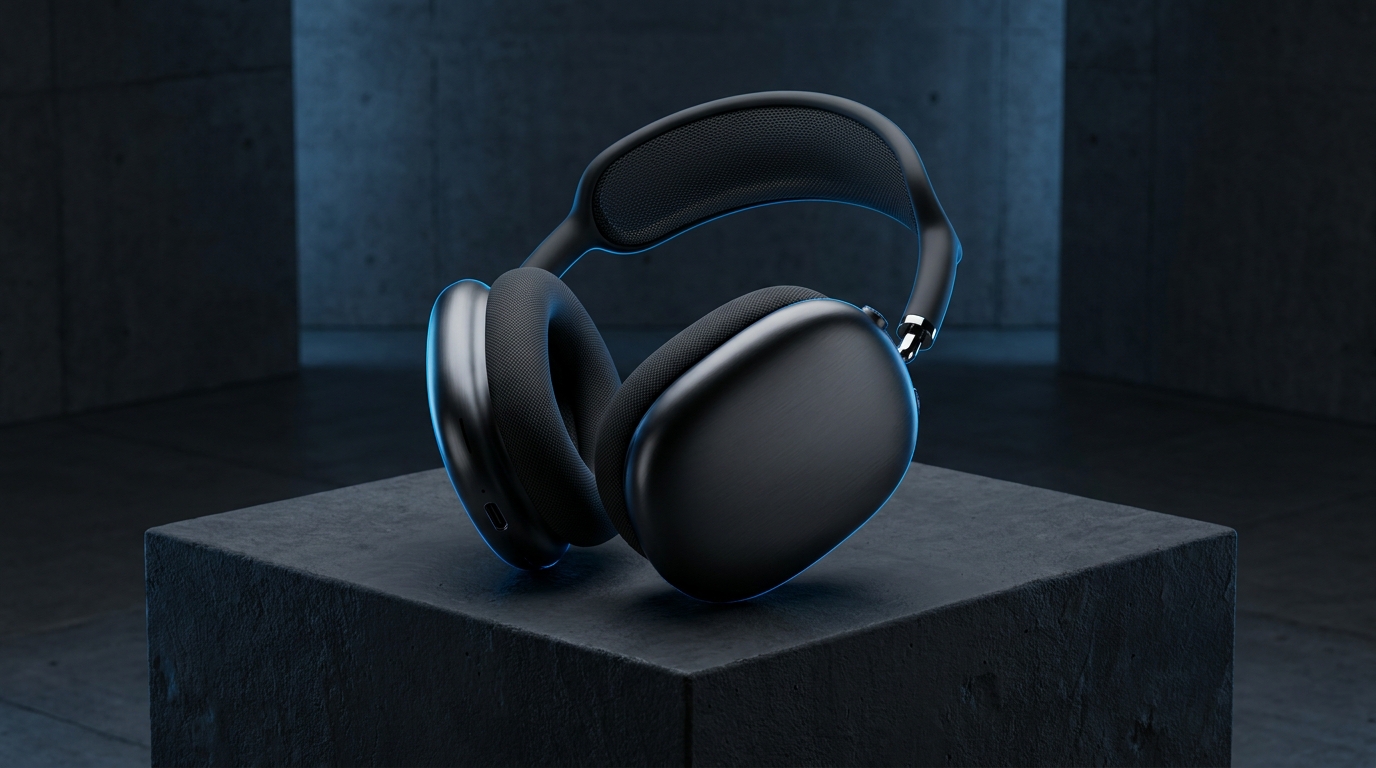
- The Dark Mode Brutalist Pedestal: Suspends dark hardware on matte charcoal concrete or brutalist slate blocks with subtle neon blue or amber edge lighting. Signals high-performance engineering and premium audio precision.
- The Modern WFH Desk Setup: Stages the gadget in an aspirational workspace alongside a mechanical keyboard, walnut desk mat, sleek monitor, and ceramic coffee mug. Helps buyers visualize everyday utility.
- The Everyday Carry (EDC) Flat-Lay: Arranges pocket knives, titanium pens, leather wallets, and tech accessories in an orderly, knolling grid. Extremely viral on Instagram, Reddit, and Pinterest.
- The Macro Port & Ergonomic Detail: An ultra-close zoom highlighting USB-C bevels, braided cable strain reliefs, and textured tactile grip patterns.
Best Practices for Capturing Electronics for AI Enhancement
Follow these operational guidelines when preparing tech hardware images for AI staging:
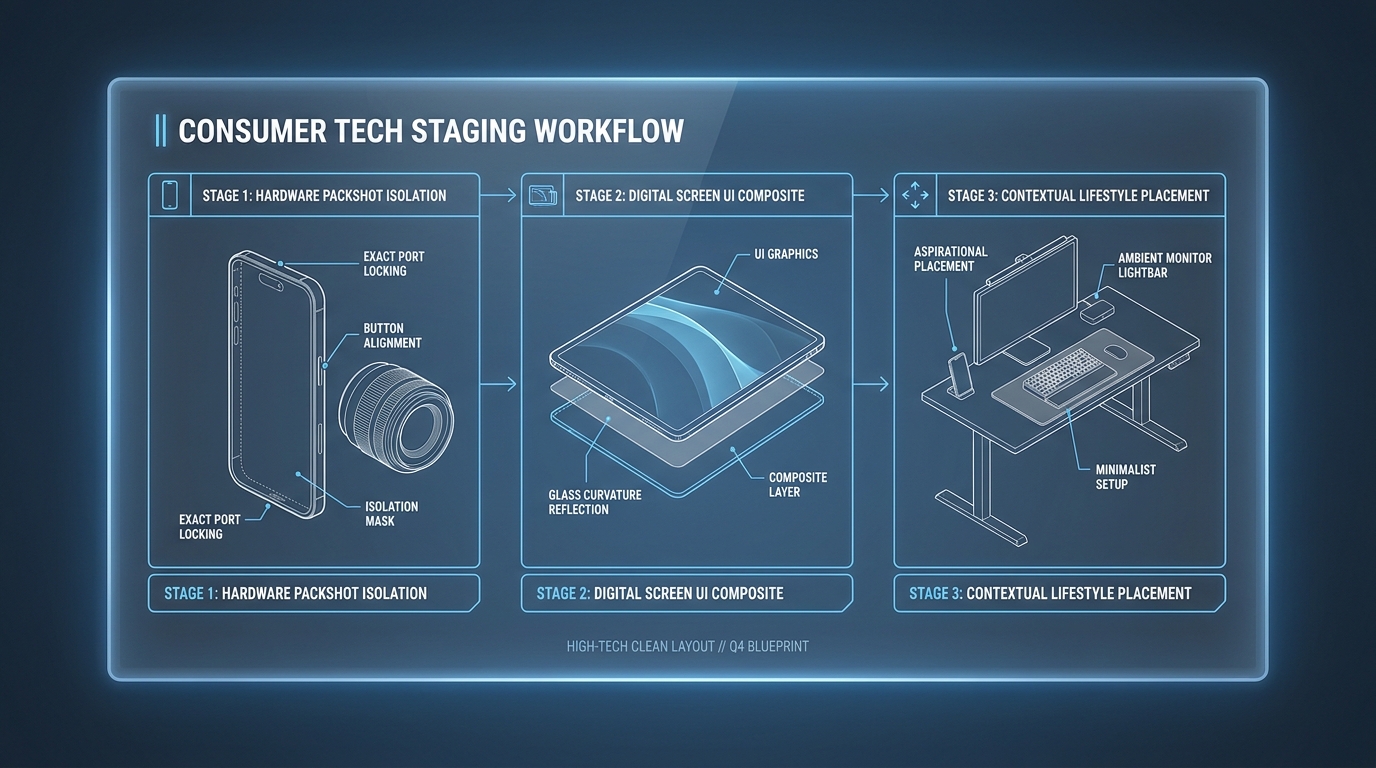
- Turn Off Displays During Capture: Shoot devices with the screen powered off or displaying pure black. This prevents screen glare and makes it effortless to insert clean digital UI graphics later.
- Wipe with Anti-Static Cloth: Use an isopropyl alcohol optical wipe to eliminate fingerprints and static charge on polycarbonate before taking the shot.
- Keep Important Ports Visible: Angle the device slightly so power ports, headphone jacks, and cooling vents are clearly identifiable to technical shoppers.
Can AI product photography accurately preserve USB-C ports, buttons, and logos?
Yes. Advanced hardware AI engines like SocialShot treat the physical device as an unalterable reference layer, ensuring that USB-C ports, volume rockers, screw heads, and branding stay 100% physically authentic.
Can I insert custom app screens or UI mockups onto device displays?
Yes. You can automatically composite screenshots or app interfaces onto smart screens, tablets, smartwatches, and laptop displays with realistic perspective curvature and subtle glass reflections.
How does showing products in a real desk setup improve tech conversions?
Contextual desk setups provide immediate visual scale and aesthetic inspiration, increasing click-through rates by up to 34% compared to plain white packshots.
Can AI handle matte black and dark grey gadgets without losing shadow detail?
Yes. The engine reconstructs dynamic range, applying soft rim lights and ambient illumination to reveal edge contours on dark hardware without washing out deep blacks.
Do I need complex 3D CAD models to generate professional tech product imagery?
No. Unlike traditional Keyshot rendering that requires STEP or IGES CAD files, SocialShot works directly from standard 2D smartphone or digital camera photos.
Can I generate pure white background images for Amazon tech listings?
Yes. You can output Amazon-compliant RGB 255, 255, 255 packshots with realistic contact shadows that meet all marketplace requirements.
Elevate Your Hardware Brand with Sleek AI Staging
Stop wrestling with dust retouching and expensive studio setups. Turn everyday tech packshots into high-end industrial design visuals and desk setups with SocialShot.