How to Change a Product Photo Background Without Photoshop in 2026
Why Traditional Background Swaps Look Fake (The Physics of Light)
Every ecommerce merchant has tried the quick Photoshop shortcut: remove the white background from a product shot, download a royalty-free image of a sunny Scandinavian living room, and paste the product onto a wooden coffee table. The resulting image almost always looks jarringly artificial. Even untrained consumer eyes instantly sense that something is 'off.'
This visual dissonance stems from three fundamental physical laws of optics that manual copy-pasting violates:
- Mismatched Key Light Vector: If your product was originally shot under an overhead fluorescent bulb, but the background shows low golden-hour sun streaming through a window from the left, the highlights on the product contradict the entire scene geometry.
- Absence of Color Bleed (Radiosity): In the physical world, light bouncing off a mahogany table casts a warm reddish hue onto the underside of objects resting on it. A flat cutout maintains whatever sterile light it was shot in, creating an unnatural separation.
- Missing Ambient Occlusion: Where a physical object touches a surface, light cannot easily penetrate, creating a dark, tight line known as the umbra. Without this contact shadow, products appear to hover like ghosts in mid-air.
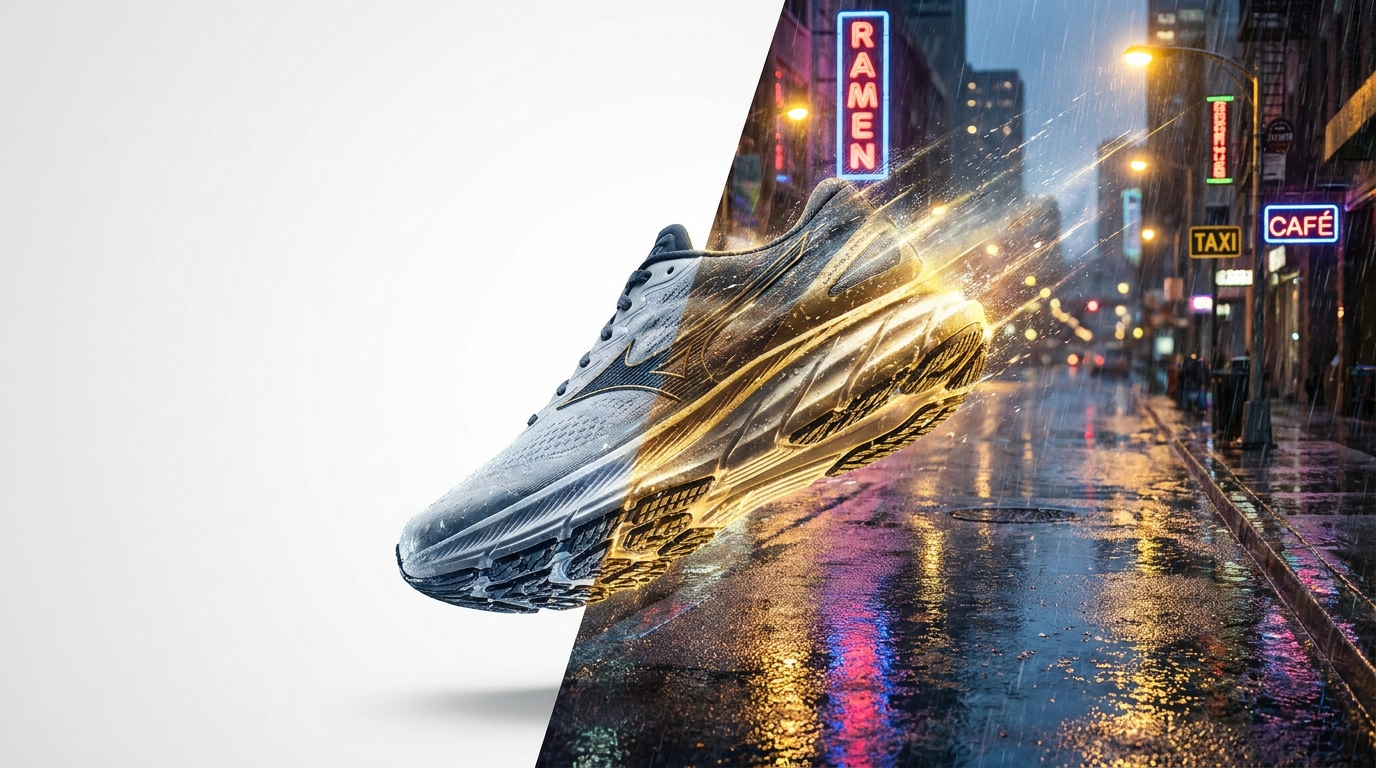
Purpose-built platforms like SocialShot's Social Campaign Studio do not paste 2D cutouts. Instead, they project the product into a latent 3D depth field and simulate directional illumination, secondary light bounce, and focal falloff so the item looks physically embedded in the location.
4 Strategic Background Paradigms for Ecommerce Conversion
Choosing the right background is not just an aesthetic decision; it directly dictates click-through rates and on-page conversion velocity across customer touchpoints:
| Background Paradigm | Visual Construction | Primary Channel / Touchpoint | Psychological Intent |
|---|---|---|---|
| Pure White Studio (RGB 255) | Sterile white with subtle floor contact shadow | Amazon, Google Shopping, Walmart PDP | Zero distraction; fast compliance; clarity of features |
| Architectural Pedestal | Travertine stone, concrete podium, soft sunlight | Shopify Collection Hero, Meta Retargeting Ad | Elevates perceived luxury and premium craftsmanship |
| In-Situ Contextual | Bathroom vanity, kitchen counter, gym locker | Instagram Feed, TikTok Shop, Product Page Gallery | Demonstrates real-world scale and everyday utility |
| Seasonal & Atmospheric | Autumn foliage, holiday snow, summer beach pool | Holiday promotional bursts, Flash sales, Email banners | Creates urgency and emotional event alignment |
Step-by-Step: Changing a Product Background with AI in Under 3 Minutes
Automating background changes eliminates the need for expensive location permits, set designers, and complex post-production. Here is the operational workflow deployed by top DTC brands:
- Step 1: Upload a High-Fidelity Source Image: Start with a sharp packshot taken on a smartphone or DSLR. Ensure the item is in sharp focus without heavy motion blur or extreme lens distortion.
- Step 2: Automated Neural Segmentation: The engine automatically segments the foreground object, calculating alpha transparency around intricate details like hair, fur, or glass edges.
- Step 3: Select or Prompt Contextual Staging: Choose a pre-tested commercial preset (e.g., 'Modern Terrazzo Bathroom Counter' or 'Minimalist Pine Desk') or describe your custom scene using descriptive prompts.
- Step 4: AI Generative Harmonization: The model synthesizes the environment around the product, calculating contact shadows, directional sunbeams, and reflective floor sheen that matches the product surface finish.
- Step 5: Multi-Placement Export: Export the finished asset in native aspect ratios: 1:1 for Shopify grids, 4:5 for Meta Feeds, and 9:16 for Reels and TikTok campaigns.

Common Pitfalls When Replacing Product Backgrounds
Avoid these common mistakes that immediately signal amateur editing and damage customer trust:
- Cluttered Visual Noise: A background that is too busy draws the viewer's eye away from what you are selling. Always ensure the product retains highest contrast and sharpness.
- Perspective Mismatch: If your camera angle was slightly angled downward (30-degree overhead angle), placing it on an eye-level flat horizon background breaks spatial perspective.
- Ignoring Scale Proportions: Placing a 50ml cosmetics dropper next to a coffee mug that appears smaller than the bottle destroys scale comprehension, causing customer return rates to spike.
- Inconsistent Catalog Aesthetics: Switching wildly between dark neon cyberpunk backdrops and airy pastel kitchens on the same collection page creates a chaotic, untrustworthy storefront.
Can I change the background of a product photo without losing product details?
Yes. Advanced AI photography platforms like SocialShot use reference-conditioned generation that locks the product pixels into an immutable layer, ensuring labels, logos, stitching, and textures are never altered or hallucinated.
How does AI make the new background match the product's lighting?
The engine analyzes the light intensity, color temperature, and highlight angles on your original product photo, then generates background scene elements whose light sources mathematically align with those existing vectors.
Can I replace backgrounds for multiple products in bulk?
Yes. You can select an entire product collection and apply a unified background preset (such as 'Sunlit Marble Pedestal') across all SKUs simultaneously, generating hundreds of consistent catalog assets in minutes.
What background converts best for paid Meta and Instagram ads?
Data across direct-to-consumer categories shows in-situ lifestyle scenes (such as an item placed in an authentic, aspirational living room or bathroom) generate 35% higher click-through rates on social feeds compared to sterile white packshots.
Do I need professional lighting equipment to get good results?
No. As long as your product is in focus and evenly lit (even by natural window light or basic ring lights), AI background generation can synthesize dramatic shadows, rim lights, and atmospheric depth around it.
Will changing backgrounds help improve my Google Shopping performance?
For Google Shopping feeds, marketplace rules require pure white backdrops for the main image. However, secondary gallery images that showcase the product in contextual lifestyle backgrounds increase click-through and conversion rates by up to 22%.
Transport Your Products into Stunning Lifestyle Scenes
Stop spending thousands on studio location rentals. Transform simple packshots into photorealistic commercial scenes in seconds with SocialShot.