Amazon Product Photography: The Complete Guide to High-Converting Listing Images in 2026
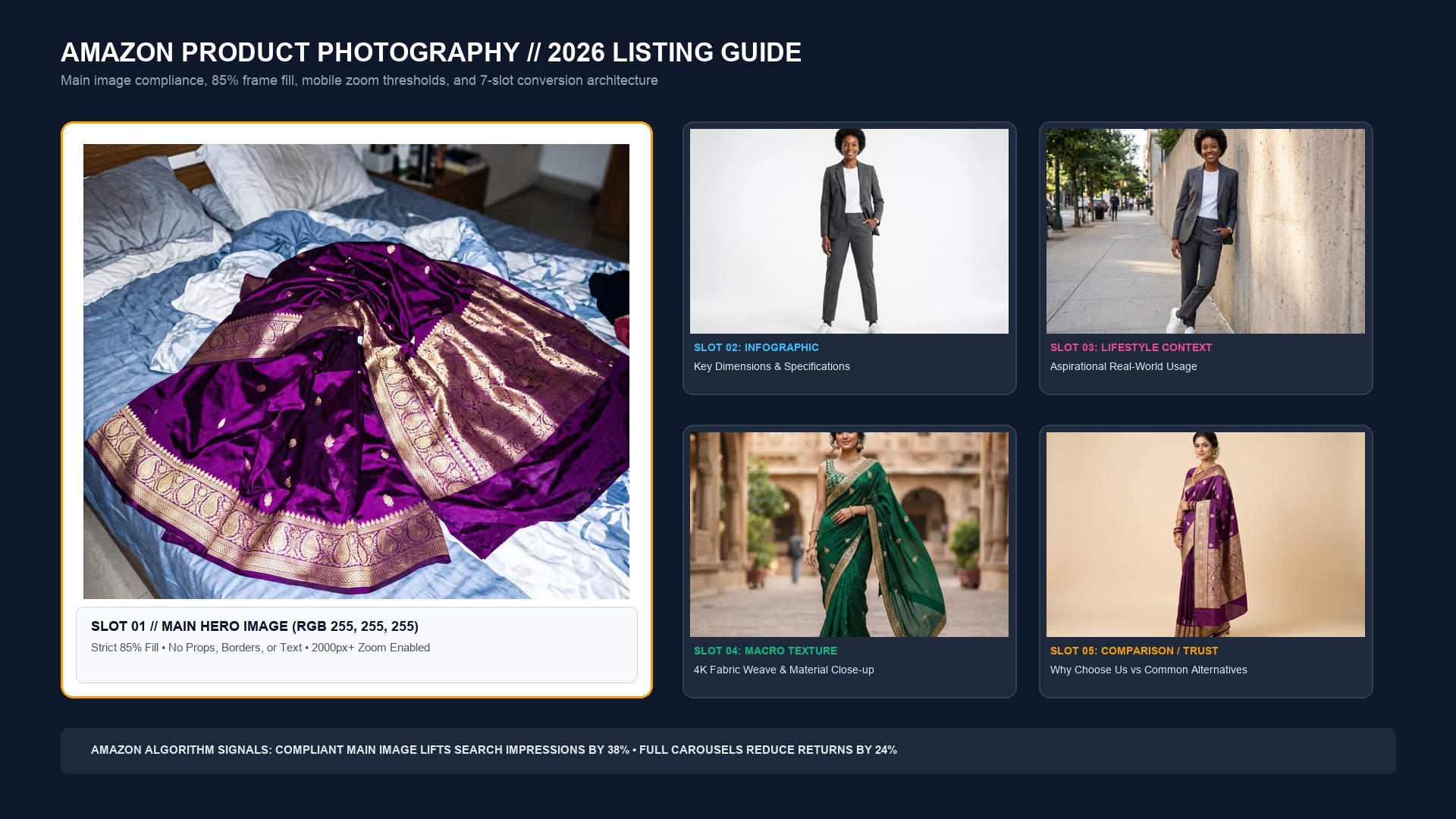
The Economics of the Amazon Image Stack: Why Photos Dictate the Buy Box
In the brutal arena of Amazon search results, shoppers make micro-decisions in less than 400 milliseconds. Before a consumer reads a single word of your bullet points or glances at your price point, their eyes judge your main hero image against a dozen competing thumbnails.
According to Amazon Seller Central internal benchmarks, listings that fully utilize all 7 standard carousel slots experience an average 27% higher conversion rate and up to 34% lower return rates compared to listings with only 1 or 2 images. Why? Because comprehensive visual merchandising eliminates buyer uncertainty. When shoppers can zoom into the stitching, see the product in an authentic home setting, and verify the dimensions against real objects, hesitation dissolves.
| Carousel Slot | Primary Strategic Goal | Technical Amazon Requirement | Frequent Seller Pitfall | Observed Conversion Lift |
|---|---|---|---|---|
| Slot 1: Main Hero | Search CTR & Amazon compliance | Pure White (#FFFFFF), 85%+ fill, 2000px+ zoom | Off-white backgrounds (RGB 250,250,250) leading to search suppression | Gating factor for 100% of organic traffic |
| Slot 2: Key Benefits | Communicate top 3 USPs in 2 seconds | High contrast, mobile-legible typography | Cramming 50 words of tiny paragraph text | +18% Add-to-cart velocity |
| Slot 3: Scale & Size | Prevent fit and dimension returns | Dimensional arrows & real-world scale object | Only listing metric numbers without visual context | -31% 'Item smaller than expected' returns |
| Slot 4: Lifestyle Context | Aspirational emotional resonance | Photorealistic in-use context matching buyer persona | Using generic clip-art or floating transparent cutouts | +22% Brand affinity & trust |
| Slot 5: Macro Texture | Prove material and manufacturing quality | Sub-millimeter crop showing seams, grain, or ports | Low-res digital zoom that appears pixelated | +14% Reduced post-purchase complaints |
| Slot 6: Comparison Grid | Overcome competitor price shopping | Direct comparison table with checkmarks vs. rivals | Violating Amazon trademark rules by naming rival brands | +19% Buy box retention rate |
| Slot 7: Unboxing / Trust | Set delivery expectations & peace of mind | Clean packaging shot, certifications, warranties | Hiding what accessories are included in the box | -15% 'Missing parts' support claims |
Slot 1: Mastering Main Image Compliance Without Sacrificing Sales
Amazon's automated image ingestion bots aggressively scan main listing photos. If your image violates a single primary guideline, Amazon will silently de-index your listing from search or suppress it with a non-compliance warning in Seller Central. To maintain full compliance while maximizing click-through, enforce these four immutable standards:
- True RGB 255, 255, 255 Background: The background cannot be light grey, cream, or off-white. In Photoshop or SocialShot, inspect the background pixels with an eyedropper tool. Every single background pixel outside the product silhouette must evaluate to pure #FFFFFF.
- The 85% Frame Fill Rule: The product must fill at least 85% of the total canvas area. If your product is small in the frame, it appears puny and underwhelming on a mobile search grid. Conversely, never let edges crop off the canvas.
- 2000 x 2000 Pixel Resolution Floor: While Amazon's technical minimum for the zoom tool is 1000 pixels on the longest side, rendering at 2000 x 2000 pixels (or 2400 x 2400) triggers Amazon's high-magnification loupe zoom, allowing buyers to inspect textures on retina displays.
- Zero Ancillary Elements: No watermarks, no 'Top Seller' ribbons, no borders, no packaging (unless the packaging is the actual product or an integral collector tin), and zero props that are not included in the purchase.
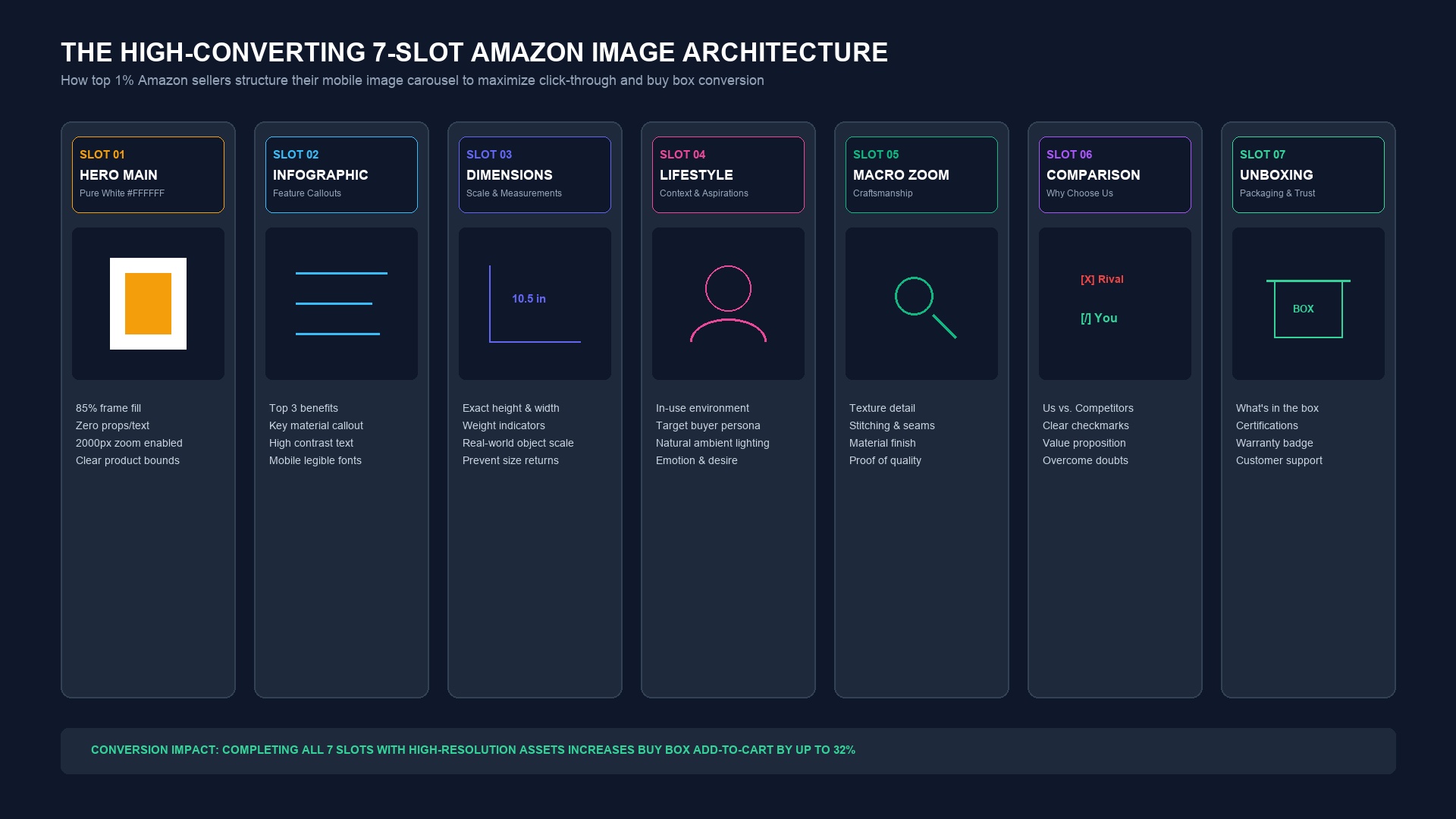
Slots 2 Through 7: The Proven Conversion Blueprint
Once a buyer clicks your main image, they immediately enter carousel mode—especially on mobile devices where over 72% of Amazon transactions occur. Mobile shoppers rarely scroll down to read bullet points; they swipe horizontally through your gallery. Your secondary images must do the complete heavy lifting of sales copy:
Slot 2: The Benefit Infographic ('The Skimmer')
Highlight the top three core pain points your product solves. Use high-contrast callout boxes, minimal text (fewer than 12 words per callout), and clear vector pointer lines directing the viewer's eye to the physical feature.
Slot 3: Dimensional Scaling & Sizing
Never assume buyers understand what '14 x 8 inches' looks like in reality. Pair clear dimension lines (height, width, depth, volume) with a familiar reference object: a smartphone, a standard coffee mug, a laptop, or a human hand. This single image prevents thousands of dollars in unnecessary returns.
Slot 4: Aspirational In-Context Lifestyle
Show the product in its native habitat being enjoyed by your target demographic. For kitchenware, render the pan on a sunlit marble stovetop with sizzling ingredients. For fashion, display the garment worn by an editorial model in a contemporary urban setting. SocialShot's Product Photoshoot tool generates these authentic environments in seconds without location fees.
Slot 5: Macro Craftsmanship & Material Close-Up
Highlight your manufacturing superiority. Show the reinforced double-stitching on canvas, the gold plating on audio connectors, the water-resistant bead on outdoor gear, or the brushed aluminum grain on tech accessories. This visually validates your price point.
Slot 6: 'Us vs. Them' Comparison Matrix
Address the customer's doubt: 'Why should I pay $35 for this when a similar item is $25?' Display a clean side-by-side table comparing your product (premium materials, safety certifications, 2-year warranty) against 'Generic Alternatives' (cheap plastics, no support, short lifespan). Do not name specific competitors to stay compliant with Amazon's anti-disparagement policies.
Slot 7: Unboxing, Certification & Peace of Mind
Show exactly what arrives on the customer's doorstep: the branded box, cables, instruction manual, and included accessories. Display official certification seals (FDA food-grade, CE, UL listed, FSC certified) to remove any lingering purchase hesitation.
Mobile-First Design: Sizing for 6-Inch Smartphone Screens
The greatest failure in Amazon photography is designing graphics on a 27-inch desktop monitor without previewing them at 350 pixels wide. If your infographic text requires zooming in with two fingers to read, 80% of mobile shoppers will simply swipe away to a competitor.
- Font Size Discipline: Never use typography smaller than 28pt on a 2000px canvas. Headers should be 48pt to 64pt bold.
- High Contrast Ratios: Avoid grey text on pastel backgrounds. Use bold white text inside dark badges or crisp black text on white backgrounds.
- Thumb-Zone Padding: Keep critical text and icons at least 8% away from the canvas edges so Amazon's mobile interface icons (carousel dots, share buttons, wish list hearts) do not obscure your copy.
A/B Testing with Amazon 'Manage Your Experiments' (MYE)
Top brand managers never guess which main image converts best; they test empirically. Brand-registered sellers have access to Amazon's native Manage Your Experiments (MYE) split-testing suite.
With SocialShot, you can generate 5 distinct main image variations in under 5 minutes: a front straight angle, a dynamic 45-degree three-quarter turn, an angled hero with realistic contact shadows, and an exploded view. Running these through a 4-week MYE split test frequently uncovers 15% to 35% CTR gains that permanently lift organic search rankings.
What is the exact image size for Amazon product listings in 2026?
Amazon requires a minimum of 1000 x 1000 pixels to enable basic zoom, but the industry gold standard is 2000 x 2000 pixels (1:1 square ratio) at 72 or 300 DPI. This provides crisp mobile rendering and deep desktop loupe magnification up to 200%.
Can secondary images have colored backgrounds or text?
Yes. Only the main hero image (Slot 1) must have a pure white background (RGB 255, 255, 255) with zero text. Slots 2 through 7 can feature lifestyle backgrounds, colored infographic overlays, dimension graphics, and comparison charts.
Why did Amazon suppress my listing for an image issue?
Common causes of automated suppression include off-white backgrounds (e.g. RGB 250, 250, 250 instead of 255, 255, 255), the product occupying less than 85% of the frame, promotional badges on the main image ('Best Value', 'Sale'), or low image resolution below 1000 pixels.
Are AI-generated lifestyle photos allowed on Amazon?
Yes. Amazon permits AI-generated lifestyle backgrounds, models, and environments as long as the physical product itself is 100% authentic and truthful to what ships in the box. SocialShot ensures the product remains completely unaltered while generating photorealistic studio and lifestyle surroundings.
What file formats does Amazon accept for listing photos?
Amazon accepts JPEG (.jpg), TIFF (.tif), and PNG (.png) files. High-quality JPEGs saved in the sRGB color space are strongly recommended for the fastest loading speeds across Amazon's CDN.
How many total images can I upload to an Amazon product listing?
You can upload up to 9 images in Seller Central. However, only the first 7 images are displayed in the main page gallery on desktop; the remaining slots require clicking into the full viewer. Make sure your core 7-image stack contains all critical sales drivers.
Build an Amazon-Compliant, High-Converting Image Stack
Generate pure-white compliant main heroes and high-impact lifestyle listing images in under 60 seconds starting at $2.99 per render.
Last updated September 2026. Image compliance rules and mobile engagement metrics sourced directly from Amazon Seller Central Style Guides and Amazon Advertising performance benchmarks.