4K Batch Export: How to Shoot a Whole Collection Overnight
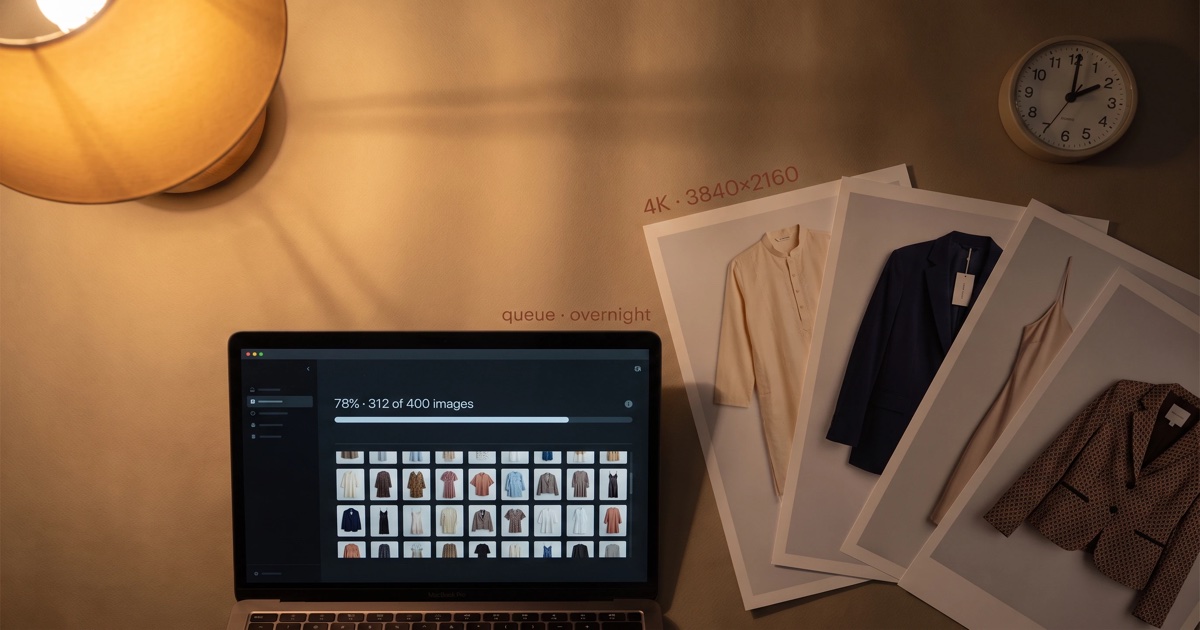
If you've ever sat at a real-time AI generation tool watching a 4-image grid render — refreshing, tweaking, re-rendering — you know the throughput ceiling. That mode is built for the first creative pass: see something, react, adjust. It is the wrong tool for a 40-SKU catalog drop, where you need all the images at the same quality and you don't need to iterate on each one in real time.
Overnight batch export is the workflow built for that volume problem. This post is what it is, when to use it, and why it shaves both cost and turnaround.
Why overnight batch beats real-time for volume
Batch generation looks identical to real-time from the outside — same garment input, same locked brand model, same scene controls. Three things differ under the hood:
- Render priority. Real-time generation reserves a slice of GPU at the moment of request and burns it in seconds. Batch generation accepts a queue, sequences the jobs across off-peak GPU windows, and exits when the whole batch is done. Off-peak compute is roughly half the cost; that saving is passed through.
- Resolution tier. Real-time defaults to 1024–2048 pixels on the long edge — enough for PDPs, ads, and social. Batch defaults to 3840×2160 (4K), which is print-ready and gives you crop headroom for marketplace zoom, print catalogs, and OOH.
- Quality gate timing. Real-time runs the fidelity audit (see Product Fidelity in AI Generation) inline; you see passes and regenerations as they happen. Batch runs the audit at the end of the queue, and you see one consolidated report — pass rate, regenerations, escalations.
The point: batch is not "slower real-time." It's a different mode optimized for catalog throughput, with a quality and resolution upgrade thrown in.
The 4K resolution math — when you actually need it
A lot of brands generate at 4K because the option exists. Below is when 4K matters and when 1080p–2048p is fine.
| Use case | Recommended resolution | Why |
|---|---|---|
| Shopify / Etsy PDP hero | 2048×2048 | Customer monitor max useful detail at this density |
| Amazon listing hero (zoom-enabled) | 3840×2160 (4K) | Amazon's zoom widget needs ≥ 1000px on long edge; 4K gives crop headroom |
| Instagram feed + Reels | 1080×1350 / 1080×1920 | Channel compresses anyway; higher source is wasted |
| 1000×1500 | Pinterest's display ceiling on most devices | |
| Lookbook / digital catalog | 3840×2160 (4K) | Reader can zoom; quality drop is immediately visible |
| Print catalog / OOH | 3840×2160 (4K) at 300 DPI | Print is unforgiving; 1080p ages badly even in small-format print |
| Marketplace detail crops | 2400×2400 minimum | Detail crops are zoom assets by definition |
The honest summary: PDPs and social don't need 4K. Marketplaces with zoom, print, and lookbooks do. Batch's default to 4K is a convenience — you get the print-ready file for free and downscale per channel.
The overnight workflow
A typical "drop night" looks like this:
| Time | Action | Active human time |
|---|---|---|
| 7:00 PM | Merchandiser uploads 40 garment flat-lays + selects locked brand model + picks 3 scene templates per SKU | 45 min |
| 7:45 PM | Queue submitted. System validates inputs (Stage 1 ingest from the fidelity pipeline). Bad inputs surface immediately — typically 1–3 SKUs that need a re-shot flat-lay. | 5 min |
| 8:00 PM | Re-uploads done. Final batch starts: 40 SKUs × 3 looks = 120 images at 4K. | — |
| 11:00 PM | Generation completes around midnight on most batches this size. Fidelity audit runs to ~12:30 AM. | — |
| 7:00 AM | Merchandiser opens the dashboard. Audit report shows pass rate (~97%), regenerations (~3), escalations (≤1). | 15 min |
| 7:15 AM | Spot-check escalated images, approve regenerations, ship to PDPs. | 30 min |
Total human time: ~1.5 hours, mostly in the upload step. The catalog goes live by 9 AM — on the same day the merchandising team queued it. Compare to a traditional shoot's 4–6 weeks.
Cost & throughput
Real numbers from our cohort (Q2 2026):
| Batch size | Per-image cost (4K) | Total cost | Wall-clock |
|---|---|---|---|
| 10 SKUs × 3 looks (30 images) | ₹30–55 | ₹900–1,650 | 30–60 min |
| 40 SKUs × 3 looks (120 images) | ₹25–45 | ₹3,000–5,400 | 2–4 hours overnight |
| 100 SKUs × 4 looks (400 images) | ₹20–40 | ₹8,000–16,000 | 6–8 hours overnight |
| 500 SKUs × 5 looks (2,500 images) | ₹18–35 | ₹45,000–87,500 | 2–3 nights |
The per-image cost drops as batch size grows because GPU sequencing is more efficient at scale. The 500-SKU example is roughly 20% the per-image cost of one-by-one real-time generation of the same volume.
When batch is the wrong call
Three legitimate reasons to stay in real-time mode:
- Ad-creative iteration. When you're testing 9 creative directions on the same SKU before the 14-day Meta cycle (see Meta Ad Creative That Converts), the feedback loop matters more than 4K or per-image cost. Real-time wins.
- Editorial / hero / brand-film stills. When every frame is a curated decision, you want to see and react. Batch buries the decision in a 120-image pass; real-time lets you sculpt one image at a time.
- First-time brand setup. If you haven't yet locked your brand model, scene templates, or input checklist, run 5–10 SKUs real-time first to get those right. Then batch the rest.
In all three cases, batch is the wrong tool for the same reason: it optimizes for throughput at the expense of the iteration loop. If iteration matters more than throughput, stay real-time.
A note on input quality
Batch surfaces input-quality problems harder than real-time, because you don't see the rejections until the next morning. A 6% input-reject rate in the fidelity pipeline (the typical number — see Product Fidelity in AI Generation) becomes a "re-shoot 6 SKUs by tomorrow" problem if you batch.
The fix is to run a 3–5 SKU dry-run batch a day before the big drop. Catch input issues at small scale; queue the big batch with confidence the next night.
Get started
Pick a 30–50 SKU drop you would have shot traditionally next week. Run it through Product Photoshoot in batch mode tonight. The drop ships tomorrow. See pricing for the per-image math at your scale.
FAQ
Will the quality drop between real-time and batch?
No — the underlying pipeline is identical (same fidelity audit, same identity lock, same garment conditioning). What changes is queue priority and default resolution. Batch's 4K default actually makes outputs higher quality on print-ready assets.
What if a garment fails the fidelity audit overnight?
The system regenerates up to three times. If all three fail, the image is escalated — you see it in the morning report with a flag, and a one-click "queue a manual regeneration" option. Most brands see ≤ 1 escalation per 100-image batch.
Can I mix categories in a single batch (kurtas + denim + footwear)?
Yes. The pipeline routes by category internally. Mixing is fine; the batch report breaks down pass rate per category so you can spot category-specific input issues.
How does batch interact with locked brand models?
The locked identity (see Brand Models) applies automatically across the batch — same face, same body, every SKU. You don't re-pick the model per image.
What about backups / archival of the source files?
Every 4K master is stored at the 1200×630 OG image, the 2048×2048 PDP variant, and the 3840×2160 master. The 4K master is the archival asset; you can re-derive smaller variants without re-running the generation.
Does overnight batch handle multi-piece outfits?
Yes — each piece is conditioned separately and assembled in the render. Outfit batches (e.g. "this kurta + this pant + these juttis" across 40 styling combinations) work natively.
Last updated: 28 June 2026. Cost-per-image numbers reflect current production GPU pricing and may shift by 10–15% per quarter as hardware costs move.